
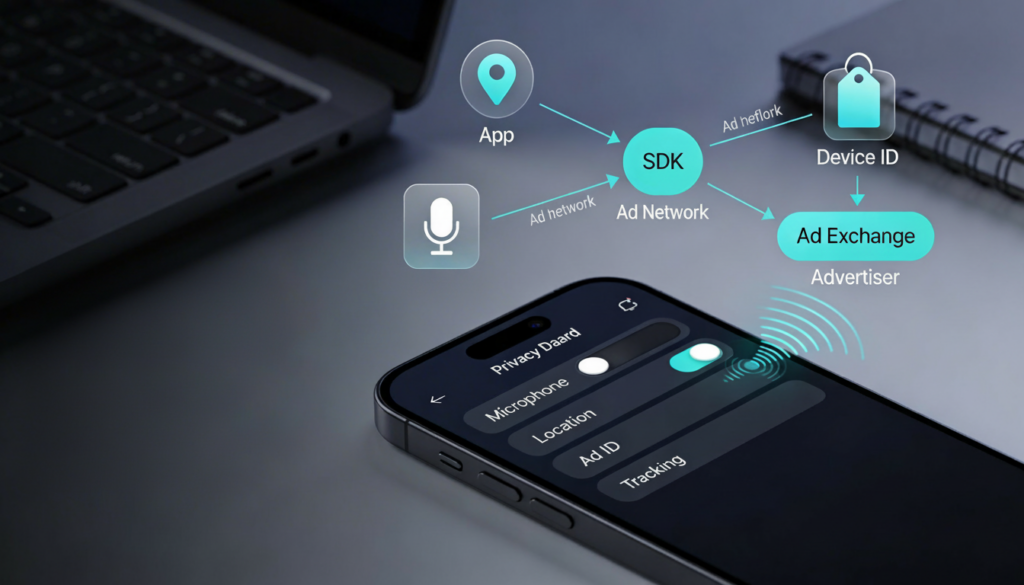
If you’ve ever said “I need new running shoes” and then watched Instagram or YouTube suddenly serve you sneaker ads, you’re not imagining the timing. What’s usually happening, though, is less “my phone is secretly recording me” and more “apps and ad platforms are very good at predicting what you’re about to do” using the digital trail you leave every day.
The good news: you can reduce tracking and tighten privacy without becoming a tech expert. This guide explains why the “my phone heard me” feeling happens, what apps actually collect, how ad tracking works in 2026 across iPhone/Android/the web, and the highest-impact settings you can change in about 15 minutes..
Why it feels like your phone “heard” you
Prediction beats listening
Most ad targeting doesn’t require recording your conversations to feel personal. It can be driven by signals like what you searched, what you watched, what you clicked, what you bought, which posts you lingered on, and then turned into a probability: “This person is likely shopping for X soon.”
That’s why ads can appear right after a conversation: your conversation and your behavior often change around the same time. On the web, systems are increasingly designed to use privacy-preserving interest signals (like broad “topics”) rather than exposing your exact browsing history, but the end result can still look surprisingly relevant.
Yes, microphones are used just not usually for ads
Phones and apps can use the microphone for real features (calls, voice notes, voice assistants, video). On Android 12+, the system is designed to show a visible indicator when an app is using the camera or microphone, and you can identify the app by interacting with the indicator.
That indicator is your reality check. If you don’t see it, it’s less likely an app is actively using the microphone in that moment; if you do see it at strange times, revoke the permission or uninstall the app.

What apps collect
Apps collect different data depending on what they do and how they make money. Some collection is necessary to function; some is for analytics; and some is for advertising and measurement.
What matters most for everyday privacy:
- Advertising/measurement identifiers: On iPhone, App Tracking Transparency (ATT) requires apps to ask permission to track you across other companies’ apps and websites.
- App activity: What you view/click/watch can be used to infer interests.
- Location signals: Network signals can imply a general region; precise location depends on permissions.
- Mic/camera permissions: Protected by runtime permissions; Android’s indicators help you see actual access.
Key takeaway: turning off microphone access may stop mic use, but it won’t automatically stop interest-based ads because many ads are driven by behavior and identifiers, not audio.

How ad tracking works in 2026 (without jargon)
ATT makes cross-app tracking an opt-in choice. Apps must ask permission if they want to track you across other companies’ apps and websites, and your decision affects cross-app tracking behavior.
You’ll still see ads, but denying tracking can reduce the “follow you around” style targeting and push ads toward contextual or in-app signals.
Android: more transparency when sensitive sensors are used
Android 12+ includes privacy indicators for camera/microphone usage, designed to improve transparency into when sensors are being accessed and by which app.
This turns “I have a suspicion” into “I can verify it,” which is exactly what consumers need to feel in control.
The web: “Topics” instead of third-party cookies (sometimes)
Chrome’s Privacy Sandbox includes the Topics API, designed to support interest-based advertising without sharing your specific browsing history.
In practice, the browser derives broad interest categories over time and shares a limited set of topics rather than a list of sites you visited. This can still make ads feel relevant while reducing the granularity of what’s shared.
The 12 privacy settings that make a noticeable difference (15 minutes)
- iPhone: Choose “Ask App Not to Track” unless you truly want cross-app personalization.
- Revoke microphone access from apps that don’t clearly need it.
- Revoke camera access from apps that don’t clearly need it.
- Android 12+: Watch for the mic/camera indicator; if it appears unexpectedly, identify the app and act.
- Use system-level mic/camera toggles (where available) to block access broadly when needed.
- Change location to “While using” for most apps; avoid “Always” unless essential.
- Delete apps you don’t use (the simplest privacy win).
- Use private browsing for sensitive research; remember it’s not total invisibility.
- Review ad personalization controls in your platform accounts to reduce targeting intensity.
- Be skeptical of “free utility” apps that request excessive permissions deny by default.
- Keep your OS updated so you get newer privacy controls (Android indicators are an example).
- Do a 5-minute permission check monthly, especially after installing new apps.
A: Most of the time, what feels like “listening” is actually prediction based on behavior and interest signals. Microphone access generally requires permission, and Android 12+ shows indicators when the mic/camera are in use so you can check what’s happening.
Q1: Is my phone listening to me to show ads? A: Most of the time, what feels like “listening” is actually prediction based on behavior and interest signals. Microphone access generally requires permission, and Android 12+ shows indicators when the mic/camera are in use so you can check what’s happening.
A: Be strict with App Tracking Transparency prompts and deny tracking unless you truly want cross-app personalization. This is the main lever that limits tracking across other companies’ apps and websites.
A: Look for the mic/camera indicator (Android 12+). If it shows up when you’re not using a feature that needs it, identify the app, then revoke permissions or uninstall.
A: It’s a Chrome feature designed to infer broad interest categories over time and share a limited set of those interests instead of your full browsing history, helping support relevant ads with less detailed sharing.